YSI Pro20 / Pro20i Review & Complete Reference (2026): Dissolved Oxygen & Temperature Meter
Disclosure: This page contains affiliate links. If you purchase through our links, we may earn a commission at no extra cost to you. See our affiliate disclosure.
Source: YSI Pro20/Pro20i User Manual Document #605597 Rev C (September 2016) • IP67 • 3-year instrument warranty
Dissolved oxygen (mg/L, %, ppm) • Temperature • Internal barometer • One Touch Calibration • 50-point data log • 400-hour battery life • Polarographic or galvanic sensor
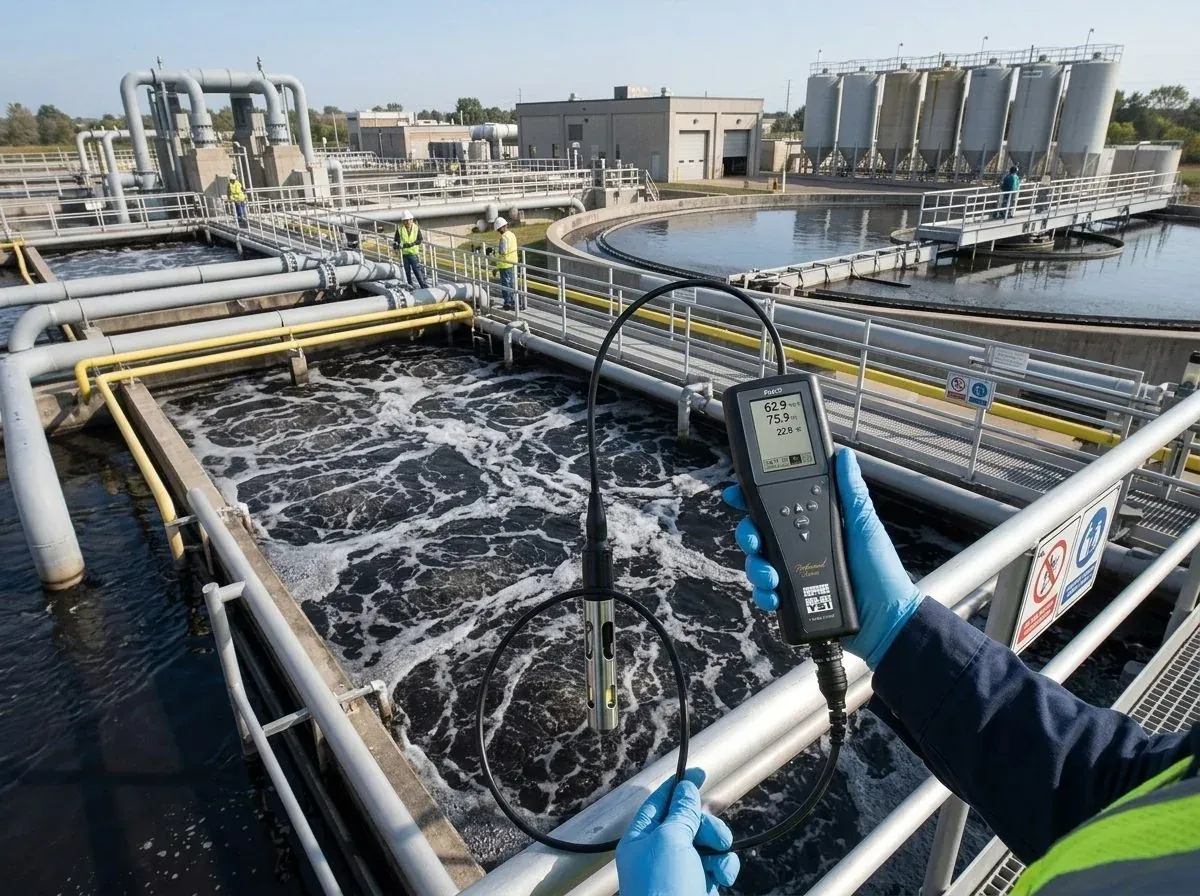
Pro20 vs Pro20i — Which Configuration to Buy
| Feature | Pro20 (6050020) | Pro20i |
|---|---|---|
| Cable type | Replaceable field cable — user-swappable | Integral (built-in) cable — fixed length |
| Available cable lengths | 1, 4, 10, 20, 30, and up to 100 m | 1 m (607120-1), 4 m (607120-4), 10 m (607120-10) |
| BOD probe compatibility | Yes — ProBOD self-stirring assembly (605780) | No |
| Instrument body | Same IP67 body | Same IP67 body |
| Sensor interchangeability | Yes — polarographic or galvanic | Yes — polarographic or galvanic |
| Best for | Variable depth deployment; ProBOD BOD testing; multi-site use | Single-depth routine monitoring; simpler setup; lower cost |
Polarographic vs Galvanic Sensor — The Most Important Decision
Both sensor types measure dissolved oxygen by electrochemical reduction at a cathode through a semi-permeable membrane. The difference is in electrode chemistry, warm-up requirements, consumable life, and warranty coverage.
Anode: Silver • Cathode: Gold
Electrolyte: KCl (white label)
Warm-up required: 5–15 minutes
Applied voltage required: Yes
Membrane change interval: Every 30 days
Sensor warranty: 1 year
Sensor lifespan: Longer
Best for: Scheduled compliance monitoring, lab use, infrequent field use
Anode: Zinc • Cathode: Silver
Electrolyte: NaCl (blue label)
No warm-up — instant-on
Applied voltage required: No (self-generating)
Membrane change interval: Every 60 days
Sensor warranty: 6 months
Sensor lifespan: Shorter (zinc consumes continuously)
Best for: Daily field monitoring, aeration basins, rapid spot-checks
Keypad Reference
| # | Key | Short Press / Single Press | Hold 3 Seconds |
|---|---|---|---|
| 1 | Calibrate | Opens Calibrate menu (when One Touch Cal is disabled) | Initiates One Touch Calibration (when One Touch Cal is enabled) |
| 2 | Up Arrow | Navigate menus; navigate Run screen bottom boxes; increase numerical inputs | — |
| 3 | Power / Backlight | First press: power on. Second press: backlight on. Third press: backlight off. | Power off (from any screen) |
| 4 | Menu | Enter System Setup menu from Run screen | Alternate contrast adjustment (hold + Up/Down arrow) |
| 5 | Enter | Confirm selections and entries | — |
| 6 | Down Arrow | Navigate menus; decrease numerical inputs | — |
| Backlight auto-off: turns off after 2 minutes of no key press, or when pressed a third time. Battery life without backlight: ~400 hours. With backlight on continuously: significantly shorter. | |||
First Power-On — Initial Configuration
The Pro20 steps through three selections the first time it is powered on. These must be set correctly before any measurement.
Select Language
English, Spanish, German, or French. Note: the bottom-of-screen function boxes always display in English regardless of language selection.
Select Sensor Type — Polaro (black) or Galvanic (grey)
Match to the physical sensor installed. This is the most critical setup step — incorrect selection can damage the sensor. Confirm by the sensor body color and the model number engraved on it: 2003 = polarographic (black), 2002 = galvanic (grey).
Select Membrane Type — 1.25 mil PE (Yellow) or 2.0 mil PE (Blue)
Match to the membrane cap color installed on the sensor. Yellow cap = 1.25 mil PE (faster response, more flow-dependent). Blue cap = 2.0 mil PE (slower response, less flow-dependent).
Membrane Type Selection — Performance Trade-Offs
| Membrane | Color | Thickness | Flow Dependence (4 min) | Min Sample Movement | T-95 Response |
|---|---|---|---|---|---|
| 5908 / 5913 (Yellow) | Yellow cap | 1.25 mil PE | 25% | 6 in/sec (15 cm/sec) | ~8 seconds |
| 5909 / 5914 (Blue) | Blue cap | 2.0 mil PE | 18% | 3 in/sec (8 cm/sec) | ~17 seconds |
| 5908/5909 = polarographic membrane kits. 5913/5914 = galvanic membrane kits. T-95 response = time to reach 95% of final reading. Flow dependence = accuracy degradation if the probe is not moving through the sample at minimum speed. | |||||
Barometer Calibration — Do This Before DO Calibration
The Pro20’s internal barometer is factory-calibrated and accurate for most conditions. However, altitude, temperature changes, and time may require recalibration. Barometer calibration must be performed before any dissolved oxygen calibration because percent DO calibration uses the barometer value as its reference.
True BP = Corrected BP − (2.5 × Local Altitude in ft ÷ 100)
Example at 500 ft elevation with 1013 mbar (corrected): True BP = 1013 − (2.5 × 5) = 1013 − 12.5 = 1000.5 mbar (750.4 mmHg)
From Run screen: highlight Barometer box (bottom row) — press Enter
The barometer box shows the current barometric pressure reading.
Use Up/Down arrows to adjust to true local barometric pressure — press Enter to save
Hold Up or Down arrow to change value rapidly. The instrument will not allow large adjustments far from its measured value — this is a built-in safeguard.
One Touch Calibration — Primary DO Calibration Method
One Touch Calibration (the default, enabled in System Setup) is the fastest and most reliable DO calibration method. It calibrates to air saturation using the moist calibration sleeve — no buffer solutions or sample titration required.
Moisten the sponge in the grey calibration/storage sleeve — install over sensor guard
The sponge must be moist but NOT have standing water that could contact the membrane. If water droplets get on the membrane, remove the sleeve, dry the membrane, and restart. The goal is 100% relative humidity air surrounding the membrane, not liquid water contact.
Wait 5–15 min (polarographic) or 5–10 min (galvanic) for chamber to saturate and sensor to stabilize
Set Auto Shutoff to Off or at least 20 minutes before starting. A polarographic sensor that has just been powered on requires the full 5–15 minutes for the applied voltage to equilibrate. Do not try to shorten this — premature calibration is the leading cause of calibration failures and DO reading errors.
Verify barometer reading is accurate
Recalibrate barometer if needed before proceeding.
Press and hold Calibrate key for 3 seconds
Display shows “Calibrating %DO.” The Pro20 automatically calibrates to the barometer and salinity compensation values. Takes up to 2 minutes. “Calibration Successful” confirms completion.
DO Local% — Altitude and Barometric Pressure Mode
DO Local% changes how the percent saturation value is calculated and displayed. With DO Local% off (default), the calibration value decreases with altitude — at 841 ft elevation (737 mmHg), you calibrate to 96.97%, not 100%. With DO Local% on, the calibration value is always 100% but the barometric pressure correction is applied to each individual measurement instead.
Both modes produce identical mg/L readings. The difference is only in how %DO is expressed. Enable DO Local% when your application needs a 100% calibration setpoint for documentation or QC, or when comparing samples collected at the same altitude.
Taking Measurements — Field Procedure
Calibrate before measuring — allow 5–15 min warm-up for polarographic sensors
A galvanic sensor is instant-on; a polarographic sensor requires the warm-up period from first power-on.
Install sensor guard — place probe in sample — give probe a quick shake to release air bubbles
Bubbles on the membrane produce falsely low readings. A quick shake at initial immersion clears them.
Maintain minimum sample movement: 6 in/sec (yellow membrane) or 3 in/sec (blue membrane)
Both membrane types are flow-dependent. In still water, the sensor depletes oxygen at its tip faster than natural diffusion can replenish it, causing readings to slowly drift down. Move the probe continuously through the sample, or allow the sample to stir around it. In flowing streams, orient the sensor perpendicular to the current — not facing into the flow.
Allow temperature to stabilize — then stir until DO value plateaus — record or save
Temperature stabilization is required for accurate ATC. Once temperature is stable and DO has plateaued, use Down/Up arrow to highlight SAVE on the Run screen and press Enter to store the reading.
Salinity Compensation
The Pro20 applies a user-entered salinity value (0.0–70.0 ppt) to compensate dissolved oxygen mg/L values for salt content. Higher salinity reduces DO solubility — saltwater holds less dissolved oxygen than fresh water at the same temperature. The factory default is 0.0 ppt (fresh water).
Adjust the salinity compensation value on the Run screen (highlight Salinity box, press Enter, adjust with Up/Down, press Enter to save) to match the salinity of your sample. The salinity compensation can be adjusted at any time without recalibration.
Data Logging — 50-Point Memory
| Function | Procedure |
|---|---|
| Save a reading | From Run screen, highlight SAVE box (bottom row), press Enter. Data set number confirms storage. “Memory Full” displays if all 50 sets are saved. |
| View saved data | Highlight DATA box, press Enter to enter Data mode. Use Up/Down arrows to scroll through data sets 01–50. Press Enter to access erase functions. |
| Erase one data set | In Data mode, press Enter → highlight Erase → press Enter → highlight Erase Data Set → press Enter. Remaining data sets renumber sequentially. |
| Erase all data sets | In Data mode, press Enter → highlight Erase → Erase All Sets → Enter. Clears all 50 records. |
| Exit Data mode | Press Enter → highlight ESC-Exit → press Enter to return to Run screen. |
| Data is stored in non-volatile memory and retained through power-off cycles and battery changes. A Factory Reset does NOT erase saved data. | |
System Setup Menu — Complete Parameter Reference
| Parameter | Options | Default | Notes |
|---|---|---|---|
| Sensor Type | Polaro (black) / Galvanic (grey) | Last confirmed setting | Must match sensor installed. Incorrect setting can damage sensor. |
| Membrane Type | 1.25 mil (Yellow) / 2.0 mil (Blue) | Last confirmed setting | Must match membrane installed. Incorrect setting causes inaccurate readings. |
| One Touch Cal | Enabled / Disabled | Enabled | When enabled: hold Cal key 3 sec to calibrate. When disabled: manual % or mg/L calibration from Cal menu. |
| DO Local% | Enabled / Disabled | Disabled | Enabled: always calibrates to 100% at any altitude. Disabled: calibration value decreases with altitude/lower barometric pressure. |
| DO Units | mg/L, ppm, % | mg/L and % | Multiple units can display simultaneously. mg/L and ppm are equivalent. |
| Temperature Units | °C / °F | °C | Only one unit at a time. |
| Pressure Units | mmHg, inHg, mbar, psi, kPa | mmHg | Only one unit at a time. Used for barometer display. |
| LDS (Last Digit Suppression) | Enabled / Disabled | Disabled | When enabled: rounds DO to nearest tenth (e.g., 8.25 → 8.3 mg/L). Auto-disabled during calibration. |
| Auto Stable | 0.0–1.9% DO change over 3–19 sec | Off (0.0% change, 10 sec) | When enabled: AS symbol blinks during stabilization, displays steadily + 2 beeps when stable. Disable by setting DO% Change to 0.0. |
| Audio | Enabled / Disabled | Enabled | When enabled: beeps on key press and double-beeps on Auto Stable confirmation. |
| Contrast | Adjustable | Mid range | Up arrow = darker. Down arrow = lighter. Alternate: hold Menu key + Up/Down arrows from any screen. |
| Auto Shutoff | 0–60 minutes | 30 minutes | Set to 0 to disable. Disable or set to ≥20 min before calibration to prevent instrument shutoff during warm-up. |
| Language | English, Spanish, German, French | English | Bottom-of-screen function box labels always display in English regardless of language setting. |
| Reset to Factory Default | Yes / No | No | Resets all settings to defaults. Does NOT erase saved data. Requires barometer and DO recalibration after reset. |
Electrode Maintenance — Membrane & Electrolyte
Membrane Replacement Procedure (Both Sensor Types)
Remove sensor guard — remove old membrane cap by unscrewing counterclockwise
Hold the sensor body with one hand while unscrewing the membrane cap with the other. Discard the used cap and electrolyte.
Rinse sensor tip with distilled or deionized water
Remove any electrolyte residue from the electrode surface.
Prepare electrolyte solution per bottle instructions — allow to sit 1 hour before use
Allowing the mixed solution to rest for 1 hour releases dissolved air that would otherwise form bubbles under the new membrane, which would require another membrane change. KCl = polarographic. NaCl = galvanic. Do NOT interchange electrolytes between sensor types.
Fill new membrane cap 3/4 full with electrolyte — tap to release bubbles — do NOT touch the membrane
Even fingerprints on the membrane surface can affect its permeability. Handle the cap by the sides only.
Thread cap onto sensor — finger tight — do NOT use tools
Some electrolyte overflow is normal. Replace sensor guard. For best results, allow the new membrane to equilibrate overnight before calibrating.
Electrode Resurfacing — When and How
Gold cathode (polarographic sensors only): Wet the 400-grit sanding disc provided and place face-up in palm. Hold sensor vertically, tip down, and place on the disc. Twist 3–4 times in a circular motion — goal is a matte finish indicating the build-up has been removed. Rinse thoroughly before installing a new membrane.
Silver anode (both sensor types): Two options:
- Chemical cleaning (polarographic only — NEVER galvanic): Soak in 14% ammonium hydroxide for 2–3 minutes or 3% ammonia solution 8–12 hours. Rinse heavily in tap water then distilled water. Smell the tip to confirm all ammonia is removed — trapped ammonia under the new membrane gives false readings.
- Mechanical cleaning (both sensor types): Wet the sanding disc and gently wrap around the anode shaft. Twist 3–4 times to lightly sand. Rinse, wipe with lens tissue, rinse with distilled water, install new membrane.
Sensor Storage
| Storage Duration | Method | Notes |
|---|---|---|
| Short-term (<30 days) | Grey calibration/storage sleeve with moist sponge over sensor guard | Keep sponge moist with tap water. Creates humid air environment — sensor should NOT be submerged in water. |
| Long-term (>30 days) | Remove membrane cap, rinse sensor, air-dry completely, install a DRY protective cap | DO NOT leave the electrolyte-filled membrane on during long-term storage. Rinse, dry, cap with a clean dry cap. Long-term storage temperature: −5 to 70°C. |
| Return to service | Install new membrane with fresh electrolyte, allow overnight equilibration, recalibrate | Conditioning a sensor that was stored dry is essential before accurate measurement. |
Troubleshooting Reference
| Symptom | Likely Cause | Resolution |
|---|---|---|
| Calibration fails — "Calibration Over," "Calibration Under," or "Unstable Reading" | Multiple possible causes | 1. Verify barometer reading. 2. Verify correct Sensor Type and Membrane Type in System Setup. 3. Ensure calibration sleeve sponge is moist (not dry, not dripping). 4. Ensure adequate sample movement for mg/L or ppm calibration. 5. Allow full stabilization time; wait ≥3 seconds before confirming. 6. Replace membrane and electrolyte. 7. Clean electrodes. 8. Return for service. |
| Instrument will not turn on / battery symbol / "Critical Shutdown" | Low or incorrectly installed batteries | 1. Replace both C-cell alkaline batteries. 2. Check polarity alignment. 3. Return for service if batteries are correct. |
| Barometer reads Over/Under — DO/Temp display Over/Undr — Cal key gives barometric pressure error | Barometer hardware failure | Return system for service — barometer cannot be recalibrated past this point. |
| Inaccurate readings | Multiple possible causes | 1. Verify Sensor Type and Membrane Type settings. 2. Recalibrate; check barometer and salinity. 3. Verify temperature readings are accurate. 4. Sample temperature above 45°C exceeds ATC range. 5. Calibration sleeve was not 100% humidity during calibration — remoisten and recalibrate. 6. Replace membrane and electrolyte. 7. Clean electrodes. 8. Return for service. |
| DO displays "Over" or "Undr" | Out-of-range reading or configuration error | 1. Verify Sensor Type and Membrane Type settings. 2. For polarographic: allow 5–15 min warm-up. 3. Sample DO is above 50 mg/L (500%) or below −0.02 mg/L. 4. Verify barometer and salinity; recalibrate. 5. Replace membrane; recalibrate. 6. Clean electrodes. 7. Return for service. |
| Temperature displays "Over" or "Undr" | Sample temperature out of range | Sample temperature below −5°C or above +55°C. Bring sample within operating range. If temperature is within range, return for service. |
| DO reading drifts downward in still water | Insufficient sample movement — sensor depleting O₂ at membrane | Increase probe movement to minimum 6 in/sec (yellow membrane) or 3 in/sec (blue membrane). Consider switching to the 2.0 mil blue membrane for lower flow dependence. |
| Unstable, erratic readings in aeration basin | Air bubbles bursting on membrane | Orient sensor upward (facing skyward); curve cable so probe hangs with membrane facing up. Bubbles travel up and away from the membrane rather than bursting on it. |
Factory Default Reset Values
| Parameter | After Reset |
|---|---|
| Temperature Units | °C |
| Dissolved Oxygen Units | mg/L and % |
| Pressure Units | mmHg |
| Sensor Type | Last setting confirmed — does NOT reset. Verify after reset. |
| Membrane Type | Last setting confirmed — does NOT reset. Verify after reset. |
| Salinity Compensation | 0.0 ppt |
| DO Local% | Off |
| One Touch Cal | On |
| Display Contrast | Mid range |
| Auto Shutoff | 30 minutes |
| Auto Stable | Off (0.0% change, 10 sec) |
| LDS | Off |
| Audio | On |
| Language | English |
| DO Calibration | Reset to factory default — recalibrate immediately after reset |
| Barometer Calibration | Reset to factory default — recalibrate barometer immediately after reset |
| Saved data | NOT affected by factory reset |
Specifications
| Parameter | Range | Resolution | Accuracy |
|---|---|---|---|
| Temperature | −5 to 55°C / 23 to 113°F | 0.1°C / 0.1°F | ±0.3°C / ±0.6°F |
| DO (% saturation, 0–200%) | 0–200% air sat. | 1% or 0.1% (user selectable) | ±2% of reading or ±2% air saturation, whichever greater |
| DO (% saturation, 200–500%) | 200–500% air sat. | 1% or 0.1% (user selectable) | ±6% of reading |
| DO (mg/L, 0–20 mg/L) | 0–20 mg/L | 0.1 or 0.01 mg/L (user selectable) | ±2% of reading or ±0.2 mg/L, whichever greater |
| DO (mg/L, 20–50 mg/L) | 20–50 mg/L | 0.1 or 0.01 mg/L (user selectable) | ±6% of reading |
| Barometer | 400–999.9 mmHg | 0.1 mmHg | ±5 mmHg within 5°C of calibration temp* |
| *At operating temperatures below 10°C or above 40°C, the barometer must be recalibrated to maintain accuracy specification. ATC range: −5 to 45°C. | |||
Part Numbers & Accessories Reference
| Part Number | Description |
|---|---|
| 6050020 | Pro20 instrument (field cable sold separately) |
| 607120-1 / -4 / -10 | Pro20i with 1m / 4m / 10m integral cable (DO sensor sold separately) |
| 607125 | Pro20i with 4m integral cable + polarographic DO sensor included |
| 60520-1, -4, -10, -20, -30 | Field cables for Pro20 (1m through 30m) |
| 605203 | Polarographic DO sensor (black, model 2003) — includes 5908 membrane kit |
| 605202 | Galvanic DO sensor (grey, model 2002) — includes 5913 membrane kit |
| 605780 | ProBOD self-stirring BOD sensor assembly (Pro20 only) |
| 5908 / 605306 | 1.25 mil PE membrane kit, 6-pack, polarographic (yellow cap) |
| 5909 / 605307 | 2.0 mil PE membrane kit, 6-pack, polarographic (blue cap) |
| 5913 / 605913 | 1.25 mil PE membrane kit, 6-pack, galvanic (yellow cap) |
| 5914 / 605914 | 2.0 mil PE membrane kit, 6-pack, galvanic (blue cap) |
| 603074 / 603075 | Carrying case: hard-sided (603074) or soft-sided (603075) |
| 601205 | O-ring grease |
| 603070 | Shoulder strap |
Warranty Summary
| Component | Warranty Period | Exception |
|---|---|---|
| Pro20/Pro20i instrument | 3 years from end user purchase date | Batteries and battery damage excluded |
| Pro20/Pro20i cables | 2 years from end user purchase date | — |
| Polarographic sensors (2003) | 1 year from end user purchase date | — |
| Galvanic sensors (2002) | 6 months from end user purchase date | — |
| When purchased by rental agencies | 90 days (instrument, cables, and probes) | — |
| Warranty service: YSI Customer Service • 1725 Brannum Lane, Yellow Springs, OH 45387 • 1-800-897-4151 • ysi.com | ||
Related Instrument References
- VEVOR 9011M Dissolved Oxygen Meter — entry-level alternative with IP67 and 250-hour battery
- VEVOR 9011B Dissolved Oxygen Bluetooth Meter — 750-point GLP datalogger with app and PC export
- Apera PC60 — 5-in-1 pH/EC/TDS/Salinity/Temp (complementary electrochemical monitoring)
- Apera PH60 — Portable pH/mV/ORP Tester
- Apera PH700 — Benchtop Lab pH Meter
- Hach DR300 Ammonia — Wastewater Compliance (colorimetric complement)
- Hach DR900 Multiparameter Colorimeter
- Hach 2100Q Portable Turbidimeter — EPA Method 180.1 turbidity
- Colorimeter vs Spectrophotometer — Buyer’s Guide
- All Commercial Water Lab Guides