Apera Instruments PH60 (AI311) Review & Complete Reference (2026)
Disclosure: This page contains affiliate links. If you purchase through our links, we may earn a commission at no extra cost to you. See our affiliate disclosure.
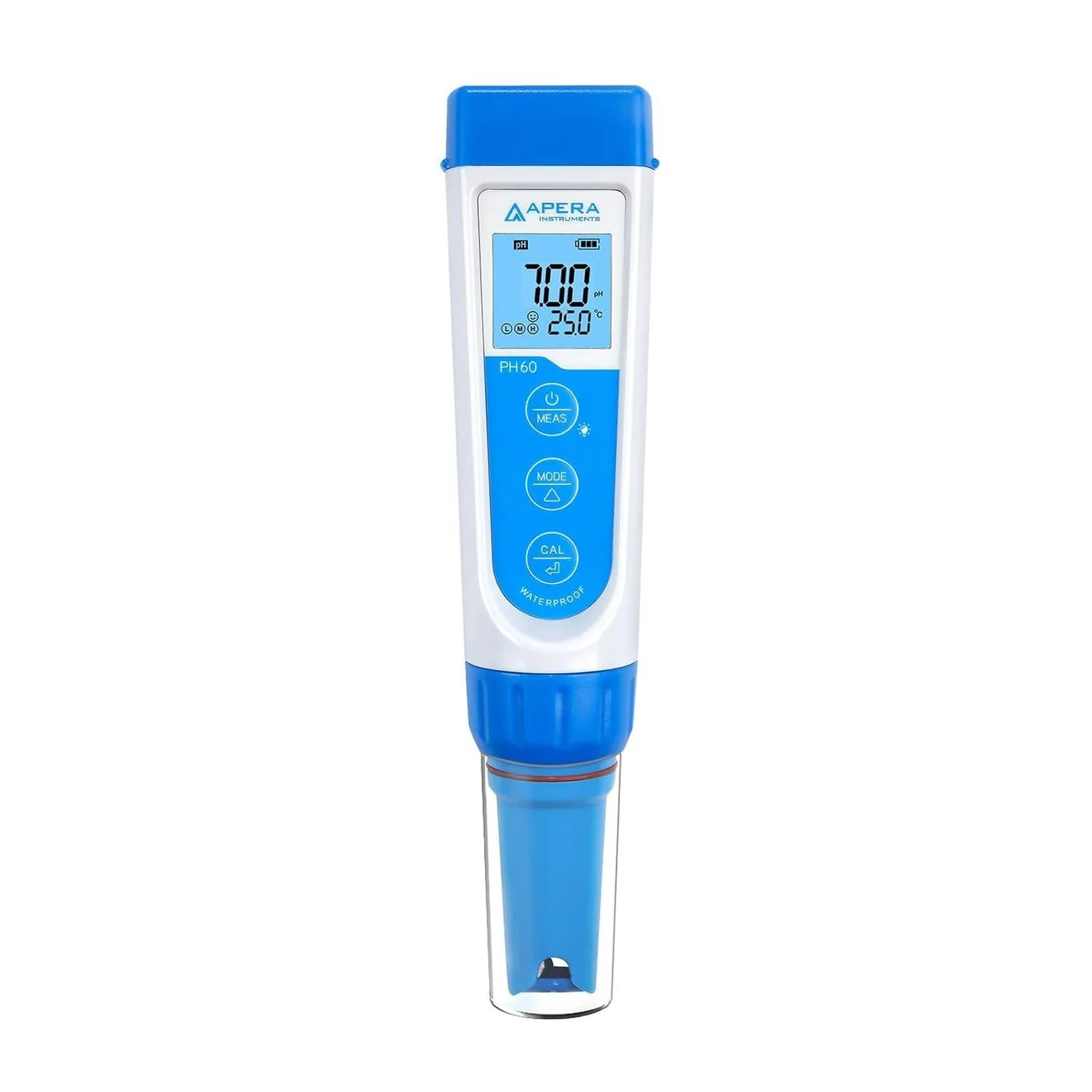
pH • mV • ORP • Temperature • IP67 • Replaceable Probe • 3-Color LCD • Auto-Hold
Source: Apera Instruments PH60 User Manual v8.3 • AI311 • #1 Top Rated on Amazon • 900+ bought/month • 4.5 stars (3,400+ reviews) • $79.76
PH60 vs PC60 — Which Apera Tester Do You Need?
The PH60 and PC60 share the same platform, IP67 rating, 3-button interface, and replaceable probe system. The difference is in what they measure beyond pH.
| Feature | PH60 (AI311) — $79.76 | PC60 (AI316) — $147.58 |
|---|---|---|
| pH measurement | ✓ | ✓ |
| Temperature / ATC | ✓ | ✓ |
| mV / ORP (with ORP probe) | ✓ — core feature | ✗ |
| Conductivity (EC) | ✗ | ✓ |
| TDS | ✗ | ✓ |
| Salinity | ✗ | ✓ |
| Best for | pH-focused monitoring; pool/spa ORP; wastewater disinfection verification | Multi-parameter: RO performance, cooling towers, hydroponics, aquaculture |
3-Color LCD — Instant Visual Status
The PH60’s 3-color LCD is its most distinctive feature compared to single-color meters. The display changes color based on the current pH reading, providing instant at-a-glance status without reading the number:
Neutral range
Alkaline range
Acidic range
Note: In calibration mode, the screen turns green to indicate active calibration regardless of the pH reading value.
Keypad Reference
| Button | Short Press (<2 sec) | Long Press (>2 sec) |
|---|---|---|
| MEAS | Power on; toggle backlight | Enter Parameter Settings (P1–P7) — must be powered OFF; hold to exit settings |
| MODE | Switch measurement mode: pH → mV (ORP) → Temp → pH | Power off; advance through parameters in settings mode |
| CAL | Confirm calibration point; release Auto-Hold; select/change in settings | Enter calibration mode (screen turns GREEN) |
pH Calibration — Complete Procedure
Same calibration platform as the PC60. 1-, 2-, or 3-point automatic calibration recognizing USA and NIST buffer series. Always start with pH 7.00. Do not power off between calibration points.
Power on — rinse probe in pure water — shake off excess
Never wipe the pH glass membrane. Static electricity from wiping causes measurement errors.
Dip into pH 7.00 buffer first — stir briefly — hold still
Always start with the midpoint buffer. Starting with pH 4.00 or 10.01 first causes calibration failure on all Apera pen meters.
Long press CAL — screen turns GREEN — wait for smiley face ☺ to appear AND stay
Do not confirm early. The stability icon must be present and stable before pressing CAL.
Short press CAL to confirm — M icon confirms 1-point complete
For 2 or 3-point: rinse probe, dip in next buffer (pH 4.00 or 10.01), long press CAL, wait for stability, short press CAL. L and H icons appear for additional points. Do NOT power off between points.
ORP (mV) Measurement — Disinfection Monitoring
ORP (Oxidation-Reduction Potential) is the PH60’s second major capability beyond pH. It measures the electrochemical potential of a solution to oxidize or reduce substances — in water treatment, it directly reflects disinfection effectiveness.
ORP Measurement Procedure
Install ORP60-E probe — short press MODE to switch to mV mode
Confirm display shows mV mode before measuring.
Rinse probe in distilled water — shake off excess
Use distilled or deionized water. Do not use the KCl soaking solution before ORP measurement.
Dip into sample — stir briefly — wait for smiley face stability icon
ORP equilibration can take 30 seconds to several minutes in samples with low oxidant levels. Do not record until the smiley face appears and remains.
Auto-Hold Feature
Auto-Hold (activated via Parameter P4) automatically locks the displayed reading when the value has remained stable for more than 10 consecutive seconds. The HOLD icon appears on the LCD confirming the lock. Short press CAL to release the hold and resume live measurement. Valuable for field applications where the operator cannot continuously watch the display.
Parameter Settings (P1–P7)
| Setting | Function | Options | Default |
|---|---|---|---|
| P1 | pH buffer standard series | USA (4.00/7.00/10.01) or NIST (4.00/6.86/9.18) | USA |
| P2 | Auto shut-off timer | 5 / 10 / 30 min / Off | 10 min |
| P3 | Temperature unit | °C or °F | °C |
| P4 | Auto-Hold function | On or Off | Off — enable for unattended field monitoring |
| P5 | pH reading alarm — low threshold | 0.0–14.0 pH (alarm when pH falls below set value) | Off |
| P6 | pH reading alarm — high threshold | 0.0–14.0 pH (alarm when pH rises above set value) | Off |
| P7 | Factory reset | No / Yes | No — Yes clears all calibration data |
| Access settings: power OFF, then long press MEAS. Short press MODE to cycle P1→P7. Short press CAL to select. Short press MODE to change value. Short press CAL to confirm. Long press MEAS to exit. | |||
Probe Care & Storage
| Signs of a Failing Probe | What It Means |
|---|---|
| Reading always slowly drifts, won’t stabilize | Glass membrane dehydrated or reference junction clogged. Soak in KCl 30 min. If persistent, replace probe. |
| Reads approximately 7.00 in all samples | Broken or dead glass membrane. Replace probe. |
| Similar readings in very different solutions | Loss of electrode slope response. Replace probe. |
| Calibration fails repeatedly with fresh buffers | Probe response degraded. Deep clean, KCl soak 1 hour, retry. Replace if still failing. |
| Erratic, randomly jumping readings | Loose probe connection or damaged cable. Check probe connection; replace probe if connection is secure. |
Troubleshooting
| Symptom | Cause | Resolution |
|---|---|---|
| pH reading won’t stabilize | Probe stored dry or in pure water; glass membrane dehydrated | Soak in 3M KCl 15–30 min; recalibrate |
| Calibration not recognized / fails | Wrong buffer series in P1; contaminated buffers; probe needs cleaning | Check P1 (USA vs NIST); replace buffers; deep clean + 1 hr KCl soak; recalibrate |
| ORP reads erratically | ORP probe needs conditioning; sample has very low oxidant level | Allow longer equilibration time (2–5 min); verify ORP60-E probe is installed (not PH60-E) |
| Auto-Hold locks too fast or won’t lock | P4 setting; stability threshold | Check P4 is On; if locking prematurely, allow full equilibration before placing in sample |
| Display shows “Err” | Probe not connected; probe outside measurement range | Check probe ring is fully tightened; verify sample is within 0–14 pH / 0–50°C range |
| Short battery life | Backlight on; auto-shutoff disabled | Toggle backlight; verify P2 auto-shutoff is not set to Off |
Related guides and reviews
- pH Meters for Commercial Water Use — EPA 150.1/150.2 methods, the 15-minute rule, and compliance records
- pH testing in commercial water — complete guide
- How to calibrate a pH meter — step-by-step protocol
Related Apera & Hach Instrument References
- Apera PC60 (AI316) — 5-in-1 pH/EC/TDS/Salinity/Temp Multiparameter Tester
- Apera PH700 (AI501) — Benchtop Lab pH Meter, 50-Point Data Log
- Hach DR300 Chlorine — DPD Method (colorimetric complement)
- Hach DR900 Multiparameter Colorimeter
- Colorimeter vs Spectrophotometer — Buyer’s Guide
- All Commercial Water Lab Guides